
Your trusted platform for link management, elevated QR code
experiences, and dynamic Link-in-Bio solutions.


Enhance your marketing strategy by adding QR codes to your table tents. With a quick scan, your customers can instantly access catalogs, price lists, promotions, user guides, and more, making their experience easier and more engaging.
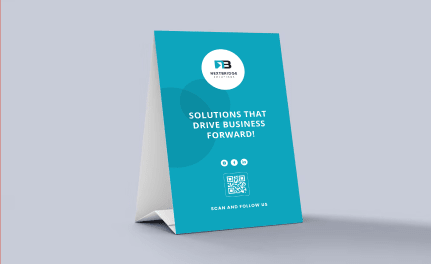
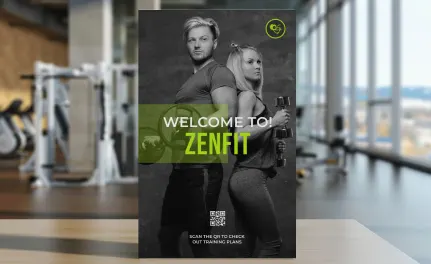
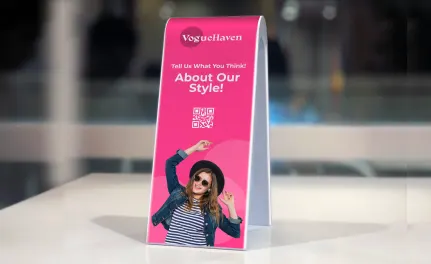
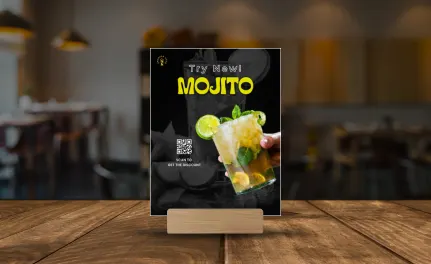
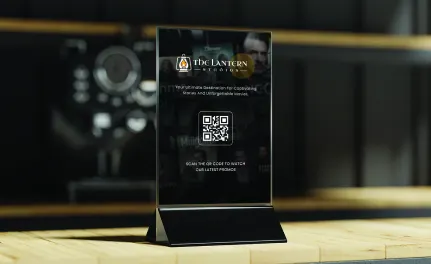
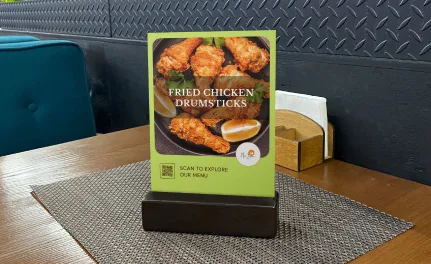
Table tents, also known as tabletop signs, often seen in restaurants, cafés, and retail stores, are small folded displays used to share information or promote offers. Adding QR codes to table tents makes them more interactive by linking customers to menus, catalogs, or special promotions with a quick scan. This combination of print and digital marketing helps save on printing costs, keeps information up to date, and enhances customer engagement.
QR codes provide instant access to detailed information, making your table tents more engaging without altering their design. You can promote daily menus, new drinks, or featured products with a simple scan. They work perfectly for trade shows, restaurants, and retail displays. Many restaurants use QR codes to reduce menu printing costs, while dynamic QR codes can link to allergy-friendly, interactive menus that include ingredient lists and nutritional information. This enhances the customer experience, builds loyalty, and encourages positive word of mouth.
Social media is full of eye-catching food photos, and chances are your dishes have already been shared by customers online. Why not make the most of this free advertising? Add a link listing QR code to your table tents so customers can easily find your social media pages, without any typing or searching. You can also include a share button to make it simple for them to send your profile to friends and family.
Across the world, more people are using digital wallets and payment apps, moving away from cash and traditional wallets. This shift shows how technology continues to shape daily life. Table tents can help highlight your business’s modern side by integrating QR codes. You can use them to promote your app, speed up orders and payments, or suggest additional items. An app QR code lets you share a customizable page with app details and direct download links. If you want to promote your best dishes or grow your social media presence, you can use a link listing QR code instead.
With our dynamic URL QR codes, you can monitor your QR code’s performance in real time. This helps you identify what’s working well and what can be improved in your marketing campaign. You’ll receive detailed analytics such as the number of scans, along with insights on location, date, time, device, and operating system used. This valuable data helps you refine your strategy and achieve better results.
Sign up to access the QR code generator and choose the type of QR code to add to your table tents. We recommend starting with the URL QR code.
Simply enter your website link, and your QR code will be generated automatically.
Personalize your QR code design by adding a frame and a "Scan Me" label.
Select the colors for your QR code to match your brand or personal style.
Click “Download” to save your QR code as a JPEG file.
Add the QR code design into your table tent.
Today, QR codes on event tickets are no longer limited to plain black-and-white designs. You can now customize them to match your brand or event theme, making your tickets more engaging and memorable for attendees. Here are some of the features available to help you make your QR code stand out and catch people’s attention.
Many QR code users often overlook one important detail, which is adding a short message that explains why people should scan the code. When creating your QR code in Divsly, include a clear call to action such as “join our network,” “contact us,” or “don’t miss our deals.” This simple step can significantly improve engagement and increase the number of scans your code receives.
Enhance your QR code by adding creative frames in different colors and designs to make it more eye-catching. After generating your code, choose from a variety of frames with engaging messages. You can also customize it with your own text, icons, or shapes to encourage action.
Once you’ve customized the frame, shape, and color, you can add your company logo in the center. Our system automatically adjusts the logo size to ensure the QR code remains scannable.
Sign up for Divsly to easily reuse saved QR code designs without starting from scratch. Save your designs as templates and use them in future marketing campaigns.
Divsly provides a short, customizable URL for each generated code that redirects to any page you choose. You can update the link anytime to help differentiate yourself from the competition.
For optimal scanning, the minimum recommended size for your QR code is 2 x 2 cm. Avoid making it smaller, but you can increase the size if needed. Test it with different smartphones and apps to ensure accessibility for all users.
QR codes are a great way to store and share lots of information while using very little printed space. They're easy to create and use, making them a smart addition to your table tents. Here are some examples from fictional brands to show how you can use them in your business.

With the rise of home delivery apps, Los Burgueses wanted to let customers place orders anytime and anywhere. They developed an app featuring their full menu and added an app QR code to their table tents to promote it. The code linked directly to the app’s download page on Google Play, the Apple App Store, or Amazon Appstore. To capture attention, the QR code included a call to action that read, “Scan me and enjoy Los Burgueses at home.”

Smart Bank focuses its marketing efforts on showcasing how its business plans help companies increase sales. To attract new clients, the bank placed an image gallery QR code on table posters at each desk and customer service area. This QR code links to customer testimonials and statistical results, providing an engaging way to build trust. It’s an affordable and portable marketing tool that can easily be used at fairs, conferences, and exhibitions without additional costs.

Always Together, a well-known wedding planning company, offers newlyweds a unique way to cherish their wedding day. They add a video QR code to each centerpiece, linking to a customizable page that shows videos of the ceremony, viewable on any smart device. Guests can scan the code to relive the special moments and, using a personalized button, upload and share their own photos with the couple.

The widespread use of smartphones and social media inspired Mifintech to focus its marketing efforts at conferences, symposiums, and business fairs on improving its online presence and customer experience. By placing a link list QR code on each table tent at their booth, event attendees could scan the code to access Mifintech’s social media accounts and choose to follow them on Instagram, Facebook, Twitter, or TikTok.

Customer satisfaction plays a key role in business success. Shop Local improved its feedback process by adding a feedback QR code to the table tents on their counters and near the cash register. Customers can scan the code to fill out a satisfaction form and share comments. All submissions are sent directly to the store’s business email, helping the team gather insights, resolve concerns quickly, and improve the overall customer experience.

For additional details, check out our
help center.
Smart ways to use QR codes, short links, and analytics to grow faster