
Your trusted platform for link management, elevated QR code
experiences, and dynamic Link-in-Bio solutions.


Digital signage lets you share real-time information in a visually engaging way, helping you reach audiences instantly. Unlike a regular link, a QR code enhances your signage by connecting physical displays to online sources such as product catalogs, eCommerce stores, social media pages, or detailed service information, creating a seamless bridge between offline and digital experiences.
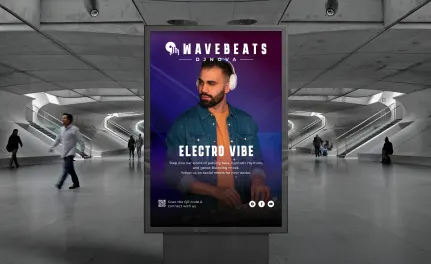
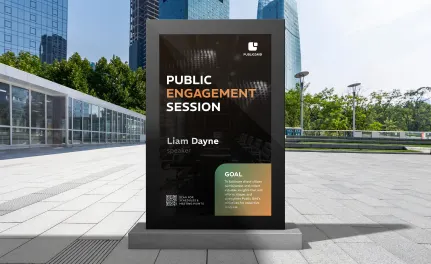

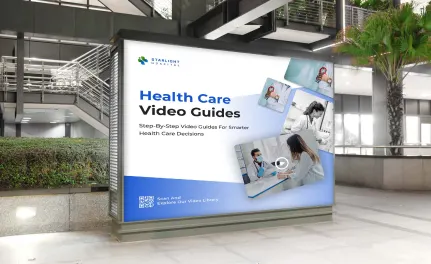
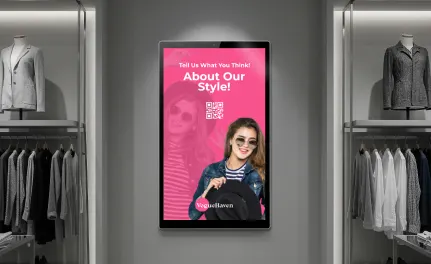
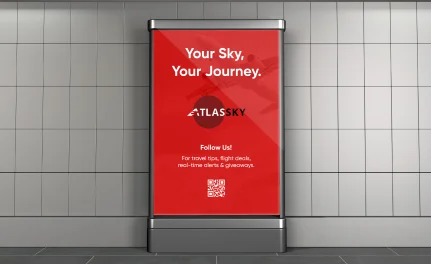
Both digital signage and QR codes help reduce paper waste and share real-time information effectively. When combined, they enhance customer experience, increase brand awareness, and make it easier to track engagement. Adding QR codes to your digital signage strengthens your marketing efforts by connecting physical displays with digital platforms. In today’s world, blending traditional and digital marketing is essential for successful campaigns and stronger connections between brands and their audiences.
With more than 6.3 billion smartphone users worldwide, QR codes have grown steadily in popularity. People are familiar with scanning them, and many do so regularly. QR codes are clearly here to stay, making this the perfect time to integrate them into your digital signage and enhance your marketing campaigns.
Today, people value brand transparency, especially when making purchase decisions. Many companies have strengthened their reputation by making their supply chains visible and sharing authentic stories. With Divsly codes, you can bring those stories to life on your digital signage by showing worker voices, supplier perspectives, and images or videos of your production and supply process instead of relying on a short written description.
Divsly offers a variety of QR code types to solve campaign challenges creatively. Use a video QR code or image gallery QR code to share supply chain information in an engaging, visual way. Use an event QR code to simplify event sign-ups and let attendees save details to their calendars. Explore the different QR code options to find the best fit for your digital signage and marketing goals.
It is important to use marketing tools that allow you to easily correct mistakes. With dynamic QR codes, you can update information, fix errors, or change the QR code type at any time, even after you have generated, printed, and launched your digital signage campaign. This flexibility helps keep your content accurate and up to date without extra printing costs.
QR codes now offer almost limitless design options. Whatever marketing materials you use, including digital signage, you can customize colors, frames, and styles so the codes blend with your visual identity and create a consistent brand experience across channels.
Divsly provides tracking for dynamic QR codes. It records scan frequency and unique scans and provides details such as location, date and time, device type, and operating system. With this real-time data you can monitor how your QR codes on digital signage perform and make data-driven decisions to improve your campaigns.
Sign up to access the QR code generator and choose the type of QR code to add to your digital signage. We recommend starting with the dynamic URL QR code.
Simply enter your website link, and your QR code will be generated automatically.
Personalize your QR code design by adding a frame and a "Scan Me" label.
Select the colors for your QR code to match your brand or personal style.
Click “Download” to save your QR code as a JPEG file.
Insert the QR code image into your digital signage content or display.
QR codes are no longer plain or boring. You can now customize them with your branding, colors, and creative elements to make them stand out on digital screens. For your digital signage to be effective, the design should capture attention and clearly show why it’s worth scanning. Here are some useful tips to help you create standout QR codes for your signage campaigns.
In the past, many businesses printed QR codes without explaining what consumers would gain by scanning them. Always include a clear message to encourage scanning and ensure your marketing campaign is effective.
Enhance your QR code by adding creative frames in different colors and designs to make it more eye-catching. After generating your code, choose from a variety of frames with engaging messages. You can also customize it with your own text, icons, or shapes to encourage action.
Once you’ve customized the frame, shape, and color, you can add your company logo in the center. Our system automatically adjusts the logo size to ensure the QR code remains scannable.
Sign up for Divsly to easily reuse saved QR code designs without starting from scratch. Save your designs as templates and use them in future marketing campaigns.
Divsly provides a short, customizable URL for each generated code that redirects to any page you choose. You can update the link anytime to help differentiate yourself from the competition.
For optimal scanning, the minimum recommended size for your QR code is 2 x 2 cm. Avoid making it smaller, but you can increase the size if needed. Test it with different smartphones and apps to ensure accessibility for all users.
If you are unsure how to use Divsly QR codes with digital signage, here are some examples from fictional companies that demonstrate creative ways to display QR codes on screens and engage audiences effectively.

Real estate agencies often use digital signage to reach potential buyers. For example, Real Build wanted to attract more attention to a property. They added a QR code to their digital display that showed the property’s for-sale sign and description and included an event QR code so viewers could sign up for property tours. Scanning the code lets people view the location on Google Maps and save the tour to their calendar.

Every year, Mifintech takes part in a large financial seminar to connect with people interested in their services. At the last event, they used digital signage across the venue to promote their new investment app by displaying an app QR code on every screen. The code directed users to the download pages on major app stores such as Google Play, the Amazon Appstore, and the Apple App Store. They also tracked how many people scanned the code each day of the seminar to measure engagement and campaign performance.

The North City government values citizen feedback to improve its services. To support this, they placed a feedback QR code on digital screens around the city. This allowed both locals and tourists to quickly scan the code and complete a survey organized by topic and category. Divsly also lets them update, edit or remove questions from the form at any time without changing the QR code, so the survey can stay current without reprinting signage.

QR codes are compact, modern, and easy to incorporate into any brand design. Shop Local’s marketing team used an event QR code in their digital signage to let people quickly see the date, time, and location of their season opening parade. With a single tap, users could save the event to their phone calendars. A custom RSVP button also helped Shop Local estimate attendee numbers and plan catering.

The Save Native Birds foundation wanted to reduce waste and lower printing costs. To promote their cause more sustainably, they used digital signage displays combined with PDF QR codes. These QR codes linked to digital brochures that visitors could easily scan and save on their phones. The displays also featured a custom button linking directly to the foundation’s donation page, making it easier for supporters to contribute instantly.

For additional details, check out our
help center.
Smart ways to use QR codes, short links, and analytics to grow faster