
Your trusted platform for link management, elevated QR code
experiences, and dynamic Link-in-Bio solutions.


Enhance your marketing strategy by integrating a QR code into your food packaging. Add value to your products and encourage customers to keep choosing your brand.
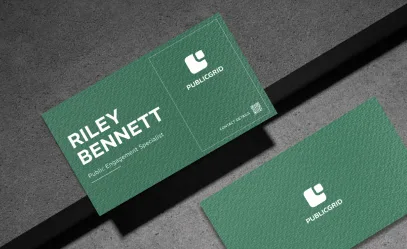

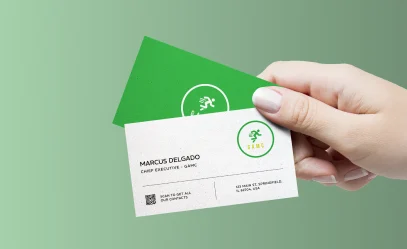
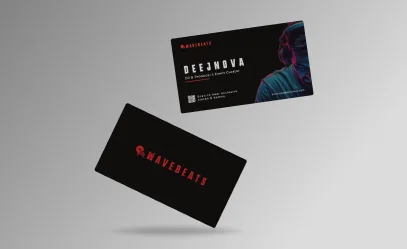
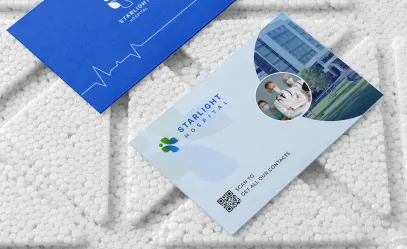
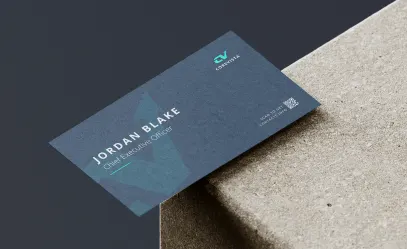
Business cards are essential for networking. By adding a QR code, you can expand your contact list, boost your social media presence, and make it easy for clients and employers to access your work and save your details. The advantages are endless.
A vCard Plus QR code on your business card lets clients and employers instantly save your contact info by simply scanning, no need for manual entry. It’s quick and hassle-free.
A link list QR code allows clients to easily access all your social media profiles, helping you grow your following. It also keeps them updated on your latest activities and events.
Expand your business by giving potential clients a quick look at your work. A dynamic URL QR code on your business card links directly to your website, portfolio, or projects, eliminating the need for physical copies. It’s an effective way for freelancers to showcase their work and attract new clients.
A business QR code on your card lets you instantly share updates, contact details, working hours, promotions, and more. If you offer products or services online, you can link it to your website or portfolio. This makes it easy for potential clients to explore your work and offerings.
Register to use the QR code generator and select the type of QR code for your business card. We suggest starting with the vCard Plus QR code.
Fill in the QR code with all the information you want to display.
Personalize the design by including a frame, logo, and a caption for your QR code.
Select the colors for your QR code to match your brand or personal style.
Click "download" to save your QR code as a JPEG file.
Place the vCard Plus QR code on your business card.
QR codes have evolved beyond the traditional black and white, now available in a variety of colors and designs. These new options are just as easy to create and help enhance your brand’s identity.
In the past, many businesses printed QR codes without explaining what consumers would gain by scanning them. Always include a clear message to encourage scanning and ensure your marketing campaign is effective.
Enhance your QR code by adding creative frames in different colors and designs to make it more eye-catching. After generating your code, choose from a variety of frames that include engaging messages. You can also customize it with your own text, icons, or shapes to drive action.
Once you’ve customized the frame, shape, and color, you can add your company logo in the center. Our system automatically adjusts the logo size to ensure the QR code remains scannable.
Sign up for Divsly to easily reuse saved QR code designs without starting from scratch. Save your designs as templates and use them in future marketing campaigns.
Divsly provides a short, customizable URL for each generated code that redirects to any page you choose. You can update the link anytime to help differentiate yourself from the competition.
For optimal scanning, the minimum recommended size for your QR code is 2 x 2 cm. Avoid making it smaller, but you can increase the size if needed. Test it with different smartphones and apps to ensure accessibility for all users.
If you're having trouble imagining the impact and benefits of using a Divsly code on your business cards, we’ve created some fictional scenarios to help you visualize the advantages it can bring to your business or company.

The founder and CEO of Smart Bank added a vCard Plus QR code to his business cards, making it easy to connect with potential clients. At an event, when he ran out of cards, the QR code allowed others to scan and save his contact information directly to their phones.

The manager of Los Burgueses added a business QR code to the restaurant's card, giving customers easy access to hours, directions, reservations, menus, and more. With a simple scan, customers can stay updated on everything across all locations.

The employees of the Urban Assembly added a QR code to the government office's business card to simplify information sharing. A quick scan gives the public access to the office's contact details, website, news, and updates on events and meetings.

The Storms decided to use an MP3 QR code on their business cards to stand out from other bands. The code lets them instantly share their music and social media as they travel for concerts in different cities. With Divsly, potential fans can easily discover their music by scanning the code and listening to tracks right away.

JHP Photographer added an image gallery QR code to his business cards, allowing potential clients to easily access his digital portfolio. Thanks to Divsly, he optimized his marketing and saw an increase in bookings. The gallery also included a “book” button, directing users to his contact form for easy service reservations.

For more information visit our
help center.
Smart ways to use QR codes, short links, and analytics to grow faster