
Your trusted platform for link management, elevated QR code
experiences, and dynamic Link-in-Bio solutions.


Add a QR code to your banners to make your outdoor ads more engaging. With a single scan, customers can instantly access your website, explore promotions, and connect with your brand.
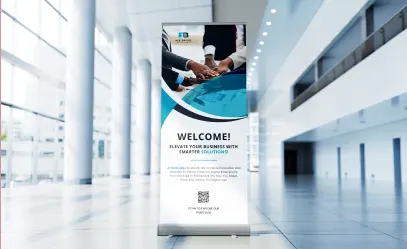

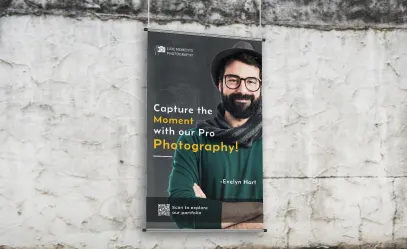
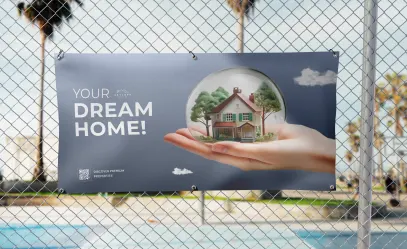
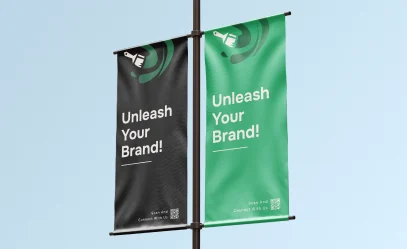
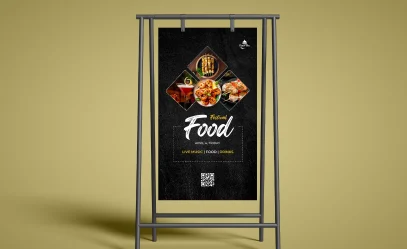
Discover how adding QR codes to your banners can seamlessly connect offline audiences to online experiences, increase customer engagement, provide measurable insights, and create new opportunities for driving traffic to your website, promotions, or products, all while making your advertising more interactive and effective.
With the growing use of mobile devices, it’s essential to make your marketing mobile-friendly. Adding QR codes to your ads connects the physical and digital worlds, allowing users to instantly access your website, services, or products with a quick scan. It’s a low-cost, trackable strategy that boosts engagement and enhances the customer experience.
With just one scan, customers can access promotions, discounts, and online offers directly from your banner. Use a coupon QR code to boost seasonal sales and make it easy for users to save and redeem deals later. Add an app QR code to connect them to your online store or delivery service. For gyms or clubs, a dynamic URL QR code can link directly to your registration page. Always include a clear call to action (CTA) to highlight the benefits of scanning.
If your brand is already recognized and has a strong identity, banners can help you reach even more people. By adding a QR code, you connect the physical banner to your online platforms, increasing traffic to your website and social media. To build lasting relationships with customers, use a link listing QR code to keep the conversation going online. If your business is just starting out, stand out at events or on the street with a bold banner and a business QR code that shares key information about your company. With the right QR code, your banner can do much more than just grab attention, it can help grow your brand.
Divsly helps you understand your customers better with its dynamic QR codes. They track when, where, and on which device each scan occurs. This valuable data helps you measure the performance of your ads, so you can optimize your current campaign or plan a more effective one in the future.
Sign up to access the QR code generator and choose the type of QR code to add to your banners. We recommend starting with the URL QR code.
Simply enter your website link, and your QR code will be generated automatically.
Personalize your QR code design by adding a frame and a "Scan Me" label.
Select the colors for your QR code to match your brand or personal style.
Click “Download” to save your QR code as a JPEG file.
Add the QR code into your banner design.
QR codes are no longer just plain and boring. You can now customize them with your branding and creative design elements. To make your banners and outdoor ads more impactful, ensure they capture the attention of passersby and potential customers. Here’s a quick guide to effective practices that can help you design standout QR codes for your marketing campaigns.
In the past, many businesses printed QR codes without explaining what consumers would gain by scanning them. Always include a clear message to encourage scanning and ensure your marketing campaign is effective.
Enhance your QR code by adding creative frames in different colors and designs to make it more eye-catching. After generating your code, choose from a variety of frames with engaging messages. You can also customize it with your own text, icons, or shapes to encourage action.
Once you’ve customized the frame, shape, and color, you can add your company logo in the center. Our system automatically adjusts the logo size to ensure the QR code remains scannable.
Sign up for Divsly to easily reuse saved QR code designs without starting from scratch. Save your designs as templates and use them in future marketing campaigns.
Divsly provides a short, customizable URL for each generated code that redirects to any page you choose. You can update the link anytime to help differentiate yourself from the competition.
For optimal scanning, the minimum recommended size for your QR code is 2 x 2 cm. Avoid making it smaller, but you can increase the size if needed. Test it on different smartphones and apps to ensure accessibility for all users.
If you're still unsure about the impact and advantages of adding a QR code to your banners, here are a few fictional examples to help you see how it can benefit your business.

During a business fair, Connect showcased their new app using a banner that featured a large QR code for easy access. Attendees could easily scan the code to download the app and watch an explanatory video through a custom button. The banner’s design enabled smooth interaction across all devices. The campaign’s success was reflected in a noticeable rise in scans and downloads.

Shop Local hired a new designer for its fall/winter unisex collection and generated excitement through a banner featuring a PDF QR code placed at store entrances. Customers could scan the code to access an illustrated guide on styling the new collection. The page also included a customizable button that linked to their online store for easy purchases. This approach attracted both existing and new customers without incurring high costs.

To promote the upcoming release of Space Heroes, the company launched a banner campaign across key city locations, targeting morning commuters. The banner featured an eye-catching design with iconic game characters and a large video QR code, that encouraged passersby to scan it for instant access to the game demo. The campaign performed strongly, generating numerous scans from curious travelers. Using a dynamic QR code system, the company tracked the number of scans, locations, and time zones. This data helped evaluate the overall effectiveness of their advertising campaign.

Flamingo Beach began promoting its beginner kayak, surfboard, and windsurf courses months before the high season to attract more tourists. To reach a wider audience in the capital, they designed a large, eye-catching banner showcasing the beach and key activities. The banner featured a coupon QR code with the call to action, “Sign up for our courses and enjoy an unforgettable summer.” Scanning the QR code directed users to a page with course details and a personalized button for discounted registration. This campaign successfully sparked interest and increased summer bookings.

Escuela Superior de Arte SC added our event QR code to its end-of-year festival poster, providing attendees with event details, schedules, and location information. Scanning the code provided easy access to Google Maps and an RSVP button to help with catering arrangements. This made the event experience smoother and more organized for everyone.

For additional details, check out our
help center.
Smart ways to use QR codes, short links, and analytics to grow faster